Google Maps Shows Your Home to the World (and Potential Burglars). Here’s How to Take It Back
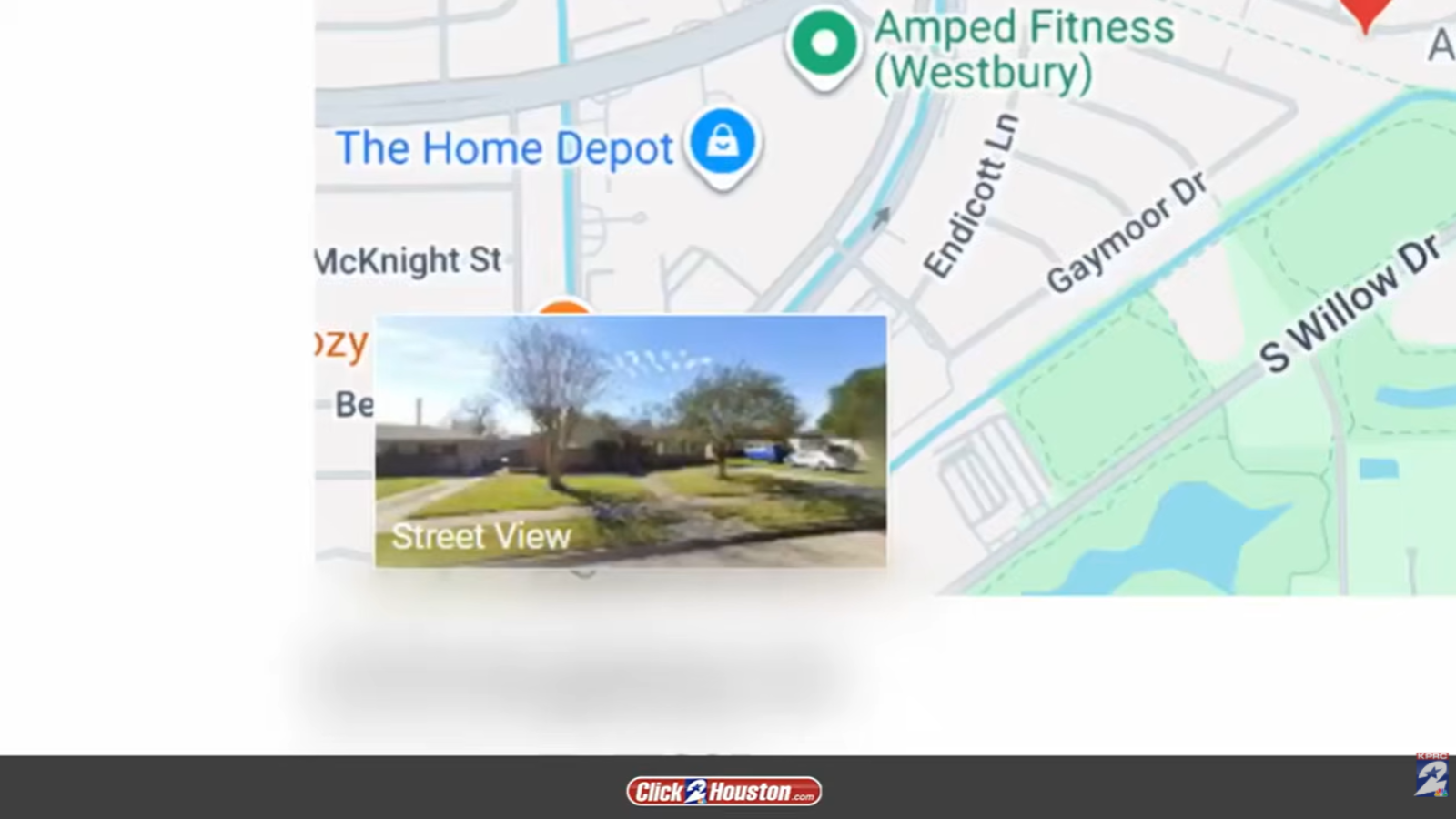
Google Maps has become a lifesaver for so many people who rely on the service to help them navigate unfamiliar places. And while many of us love being able to look at a little snapshot of the place we’re heading before we get there—like when you want to figure out the parking situation ahead of time or if you want to confirm what your destination looks like before you arrive—some experts warn that having a photo of your house on the service could actually be dangerous.
Click2Houston, a local NBC News station, says that cybersecurity experts say that having a photo of your home on the internet gives thieves and other bad actors easy access to many important details about your property, including whether or not your property has a fence, and where they can gain access to the inside of your home.
So, how do you blur your home on Google Maps? The good news is that it’s very easy to do online and from the comfort of your own home.
The bad news is that blurring your home’s photo is usually a permanent situation, so be sure you really want to do it before getting started.
Only Homeowners and Current Residents Can Request to Have Their Home Blurred
Fortunately, the only requirement you need to meet in order to request to have your home’s Google Street View image blurred on Google Maps is that you must live at the home you’re requesting to have blurred (you also need to be able to prove that info, but more on that later).
First, you’ll need to navigate to your home on Google Maps, using your cell phone or computer. Once you’re there, you’ll need to open the Street View image you’d like to blur and click “Report a Problem” on the bottom right of the screen.
U.S. residents will then need to click the box affirming that they have the authority to make the request, and then click “Choose file” to upload proof of ownership. Next, you’ll be prompted to enter the address of your home. Then you’ll be able to submit the form to Google, where it will be reviewed. If there are any questions, someone may reach out to you to get additional info or to give you a status update about your request.
What Type of Proof Do You Need to Submit to Google?
You’ll need to have some specific documents on hand to make the request official, according to the Google Maps Help page. These documents can include certain forms of mail that show your address, like utility bills and bank statements (just be sure to black out personal or sensitive information like your name or account numbers), but they must be dated within six months of the date you make the request.
You can also provide a copy of your lease agreement (this can be older than six months) as long as it contains the property address.
There Could Be Downsides to Blurring Your Home
Safety may be the main reason why some people want to see photos of their home removed from the internet, but one expert who spoke with The Hill back in 2024 said it could have the opposite effect. That’s because criminals who pull up your Google Street View to investigate your property could become even more intrigued by the lack of a photo, ultimately prompting them to come out to investigate in person.
Also, The Hill notes that the blurring is irreversible. So, if you change your mind about having the photo obscured, you’re likely just going to have to live with that regret.